Flutter IoT & MQTT App Development
Connected hardware projects fail at the app layer more often than the hardware layer. The sensors work; the screen is showing a value from four minutes ago.
The short version
- The engineering is in the failure cases: dropped sockets, network switches, backgrounded apps.
- Every reading carries its own timestamp and freshness state, so stale never looks current.
- Commands use acknowledgement topics, because a silently failed command is dangerous.
- MQTT doesn't store messages, so history needs a persistence layer designed alongside it.
What IoT and MQTT app development covers
MQTT client integration
Connecting Flutter to your broker over TCP or WebSocket, with TLS, authentication, sensible QoS levels per topic, and clean subscription lifecycle management.
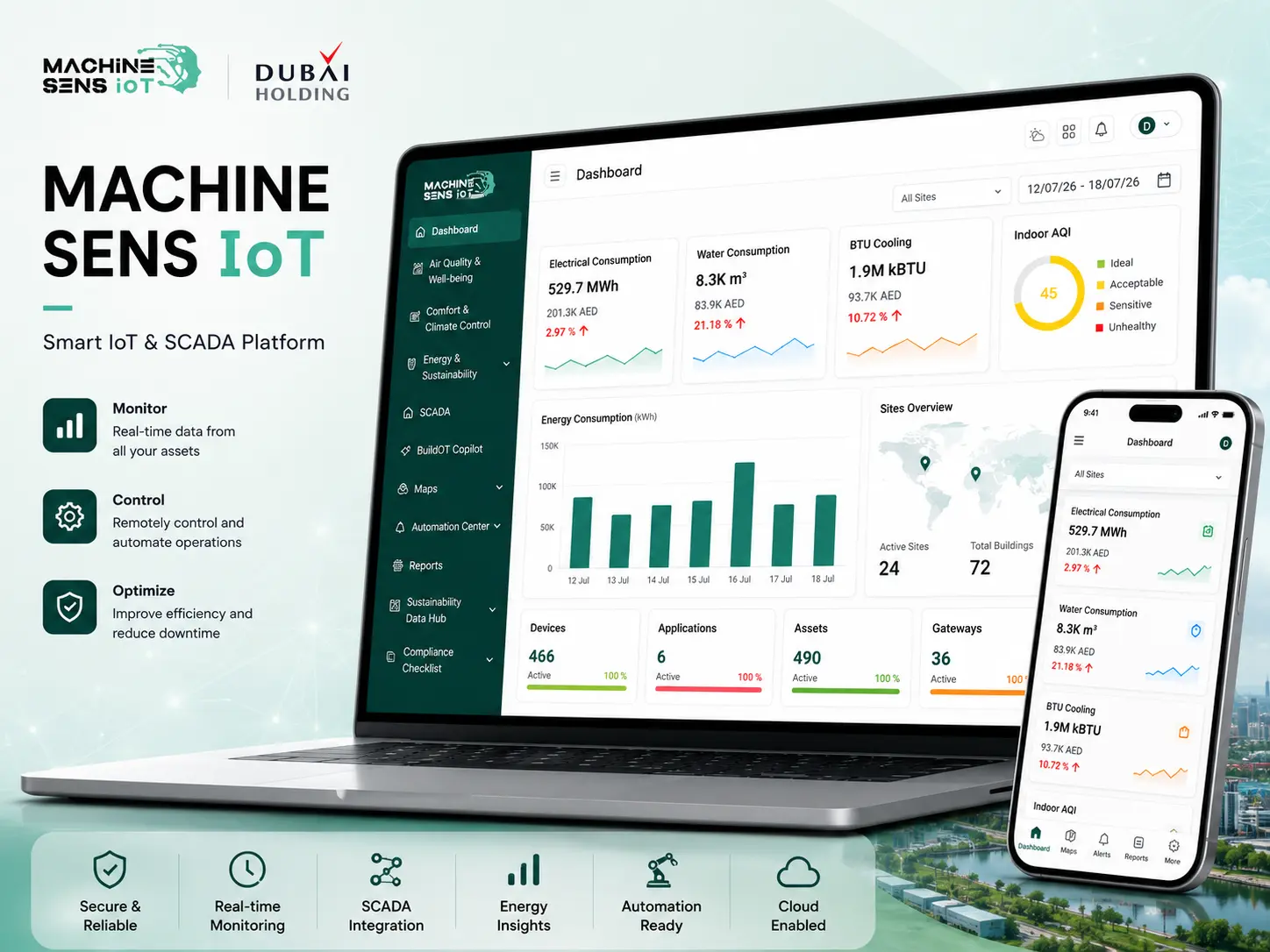
Live telemetry dashboards
Readings, gauges, status indicators and streaming charts that update as messages arrive, with throttling so a chatty sensor cannot stall the interface.
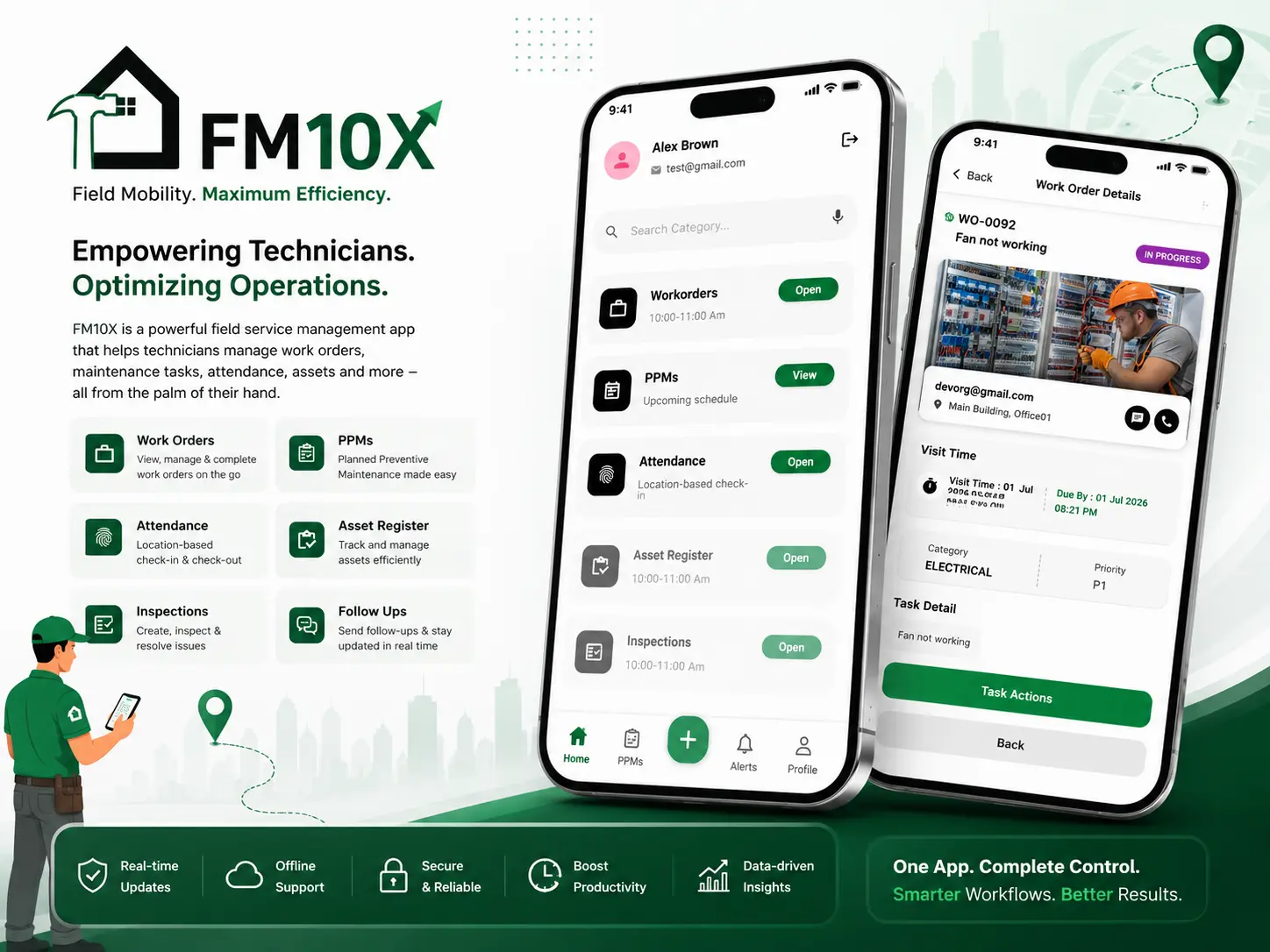
Device control and commands
Publishing commands to devices with acknowledgement topics, optimistic interface states, timeouts, and a clear indication when a device has not responded.
Connection resilience
Automatic reconnection with backoff, last-will messages, buffering during outages, and an interface that distinguishes offline from zero rather than showing a confident wrong number.
Device provisioning
Onboarding flows for adding hardware to an account: pairing, credential handover, naming, grouping by site or line, and access control per user.
History, alerts and reporting
Persisting telemetry for historical charts, threshold-based alerting through push notifications, and data export for the people who want it in a spreadsheet.
Why real-time IoT apps are harder than they look
A normal app requests and receives. An MQTT app holds a live connection across operating systems that aggressively suspend it.
Messages outpace the interface
A chatty sensor publishes faster than the screen can usefully repaint.
Sockets die silently
No error arrives, and the app keeps displaying the last value it saw.
Networks change underneath you
A phone moving from wifi to mobile data loses its subscription without telling anyone.
Backgrounding loses time
The app returns having missed five minutes of telemetry and has to resync.
None of these show up when you test at a desk next to the broker. All of them show up on a factory floor.
Making the interface honest about its data
The rule I apply to every monitoring screen: never present stale data as current.
A reading that is four minutes old has to look four minutes old. A disconnected device has to look disconnected, not read zero. In practice that means per-value timestamps and freshness states, connection status shown prominently rather than buried in settings, and gaps in a chart drawn as gaps instead of straight lines across the outage.
If someone is making a decision about a machine based on your screen, a plausible-looking wrong number is far worse than a visible gap. Operators stop trusting a dashboard that has lied to them once, and they are right to.
Projects where I have done this before.
Full case studies, including the problems I hit and how I solved them.
The tools I build this with.
Messaging
- MQTT
- WebSocket transport
- QoS levels
- Last-will & testament
App
- Flutter
- Flutter Web
- Dart streams
- GetX
Data & alerts
- Firebase
- Cloud Firestore
- Cloud Messaging
- Time-series charts
Reliability
- Reconnect with backoff
- Stream throttling
- Freshness tracking
- Offline states
Three ways to work together.
IoT work usually runs as a dedicated engagement, because hardware behaviour surfaces requirements that nobody could have written into a fixed scope up front.
Fixed price
One agreed price for an agreed scope, split into milestones. You know the total before work starts, and I absorb the risk of my own estimate being wrong.
Best for: Well-defined builds where the feature list is already settled
Hourly
Billed for time actually worked, with a log of what was done. No minimum commitment, and you can stop at the end of any week.
Best for: Fixes, audits, custom code and open-ended work
Dedicated developer
A reserved block of my capacity each month, working to your priorities as they change. Scope can shift between sprints without renegotiating a contract.
Best for: Ongoing product work and longer engagements
From first call to launch and beyond.
IoT projects add a hardware dimension to discovery: before any interface work, we establish the topic structure, payload format and message rates your devices actually produce.
- Step 01
Discovery
A call to understand the product, the users, the constraints and the deadline, followed by a written scope you can push back on.
- Step 02
Design
Screen flow, data model and architecture agreed before code. If you have Figma designs I work from them; if not, we settle structure first.
- Step 03
Development
Built in milestones you can see, pushed to your repository as it happens, with a working build to try at the end of each stage.
- Step 04
Testing
Real devices across both platforms, slow networks, edge cases and the states people forget: empty, loading, offline and error.
- Step 05
Launch
Signed release builds, store listings, review feedback handled, and deployment of any web or Firebase side of the project.
- Step 06
Support
A bug-fix period after release, then ongoing availability for feature work, SDK upgrades and store compliance changes.
Frequently asked questions
What is MQTT and why is it used for IoT?
MQTT is a lightweight publish and subscribe messaging protocol. Devices publish readings to named topics, and anything interested subscribes to those topics through a broker in the middle. It suits IoT because message overhead is tiny, it works over unreliable connections, devices never need to know about each other, and one reading can reach a phone app, a web dashboard and a storage service simultaneously.
Can a Flutter app connect directly to my MQTT broker?
Yes. Flutter mobile connects over TCP, and Flutter Web connects over WebSocket, which means your broker needs WebSocket support enabled if a browser dashboard is part of the plan. Both paths support TLS and username or certificate authentication. I work with whatever broker you already run, including Mosquitto, EMQX, HiveMQ and the managed cloud brokers.
How do you handle a connection that keeps dropping?
By assuming it will. The client reconnects automatically with exponential backoff, resubscribes to its topics on reconnect, and uses last-will messages so the system knows when a device disappeared rather than went quiet. On the interface side, connection state is always visible and every reading carries a freshness indicator, so a dropout is obvious instead of silently showing old numbers.
Do you work with the hardware and firmware too?
My side is the app and dashboard layer. I do not write embedded firmware, but I work closely with whoever does, and I will push early for a clear agreement on topic naming, payload format, units, message rates and how errors are reported. Getting that contract settled at the start prevents most of the integration pain later.
Can I see historical data as well as live readings?
Yes, though it needs somewhere to live, because MQTT itself only moves messages and does not store them. The usual approach is to persist telemetry as it arrives into Firestore or a time-series store, then chart from there while the live view continues to read from the broker. How much history you keep and at what resolution is a cost decision worth making deliberately.
Can the app control devices, not just monitor them?
Yes, by publishing commands to control topics. The important part is confirmation: a command that silently fails is dangerous when it is switching real equipment. I implement acknowledgement topics so the device confirms it acted, with timeouts and clear interface feedback when no acknowledgement arrives, rather than assuming the message got there.
Will push notifications work for device alerts?
Yes, but not directly from MQTT, because a suspended phone app is not holding a live connection to receive anything. Alerts need a server-side component that watches telemetry against your thresholds and sends through Firebase Cloud Messaging. I set that up so alerts arrive whether or not the app is open, which is the only way alerting is actually useful.
Building something with connected hardware?
Tell me what your devices measure or control and how they publish it. I will map out what the app and dashboard layer needs.